Meetings are often the place where decisions are made, next steps defined, and important information shared. The problem usually starts afterward: insights from meetings get lost in notes, transcripts, or tools that are hardly actively used in daily work.
This is exactly where the integration of Meeting Metrics with Langdock comes in.
With the new integration, enterprise teams can use Meeting Metrics directly in Langdock – exactly where knowledge is processed, questions are asked, and decisions are made. This way, meetings are not only documented but immediately usable in the work context.
What is Langdock?
Langdock is an enterprise AI platform that allows companies to securely integrate generative AI into their daily work.
Langdock serves as a central interface through which teams can work with AI, search internal knowledge, automate processes, and integrate external tools into a common workflow – without having to switch between different applications.
Langdock is especially interesting for companies because the platform is designed with data protection, governance, and controllable AI workflows in mind. Teams can use Langdock to safely deploy AI in the corporate context – including internal data sources, permissions, and defined integrations.
In short: Langdock is the place where enterprise teams work with AI.
What is possible with Meeting Metrics in Langdock?
With the integration of Meeting Metrics in Langdock, meeting knowledge becomes directly available in the work context.
This means: content from meetings can be accessed and further processed where teams are already working – directly in the Langdock workspace.
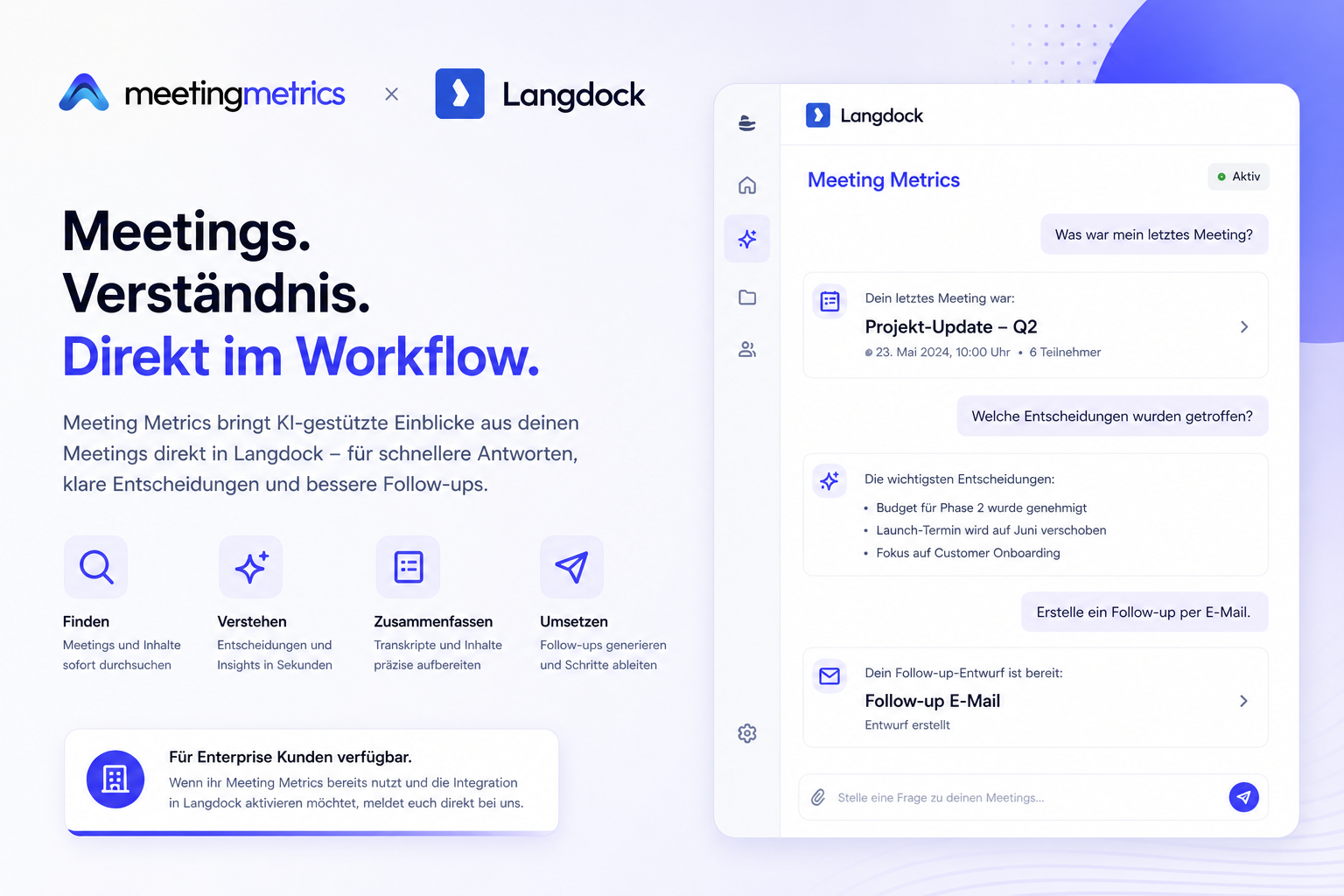
Instead of searching for transcripts, notes, or follow-ups, teams can simply ask questions about meetings in Langdock and immediately receive structured answers.
For example:
- What was my last meeting?
- What decisions were made in the last sales call?
- Show me the key points from last week's customer meeting.
- What open follow-ups are there from the project update?
- Summarize the last conversation with customer X in three points.
Meeting Metrics processes these requests directly via Langdock and delivers the relevant information in a structured manner.
These include, among others:
- Meeting details
- Transcripts
- Summaries
- Decisions
- Action items
- Follow-up drafts
This turns meeting documentation directly into usable work knowledge.
Why is the integration useful?
In most companies, a meeting ends in a different tool than where the subsequent work takes place.
This leads to friction:
- Information has to be searched for
- Decisions get lost
- Follow-ups remain undone
- Knowledge remains isolated in meeting tools
The Langdock integration closes this gap.
Meeting Metrics brings relevant meeting content directly into the workflow – where teams are already asking questions, processing information, and making decisions.
This reduces context switching and makes meeting knowledge immediately actionable.
How does the connection work?
The integration is done via Langdock and uses defined actions there.
Important: In Langdock, a skill file alone is not enough to establish an external network connection. To use Meeting Metrics in Langdock, a connection must also be created.
The setup process consists of two parts:
1. Import integration into Langdock
First, the prepared Meeting Metrics integration is imported into Langdock.
This makes the integration available in the Langdock workspace as a usable skill/action structure.
2. Create connection with Meeting Metrics
Then, a connection is created in Langdock through which Langdock can communicate with the Meeting Metrics API.
For this, a new connection is created, for example with the name:
Meeting Metrics
The Meeting Metrics API token is used for authentication.
The configuration is done via:
- Authorization
- Bearer = Meeting Metrics API Token
The API token can be created directly in Meeting Metrics:
Once this connection is stored, Langdock can communicate directly with Meeting Metrics.
After that, the integration is ready to use.
What does everyday use look like?
After setup, Meeting Metrics can be used directly in Langdock.
Teams can then ask questions in natural language and receive the appropriate answers directly in the chat.
For example:
What was my last meeting?
Langdock uses the Meeting Metrics integration in the background, retrieves the relevant data, and returns the answer in a structured way.
Depending on the request, this can be:
- the last meeting with title and participants
- a complete transcript
- a summary
- recognized decisions
- open action items
- a follow-up draft for emails
This makes Langdock the central interface for meeting intelligence.
Who is this relevant for?
The integration is especially relevant for teams that:
- want to make meeting knowledge usable faster
- want less context switching between tools
- want to implement decisions and follow-ups more reliably
- want to use AI safely in the corporate context
This creates direct added value in daily work, especially for sales, customer success, leadership, and project teams.
Availability
The Meeting Metrics x Langdock integration is now available for enterprise customers.
If you are already using Meeting Metrics and want to activate the Langdock integration, you can contact us directly.
We support the setup and help with activation in the Langdock workspace.