With our latest Product Update, we bring several new features to Meeting Metrics and simultaneously improve many existing areas.
The focus is on new integrations via MCP, our Meeting Bot, current AI models, as well as numerous improvements around transcription, templates, and the daily use of Meeting Metrics.
New in Meeting Metrics
MCP: Connect Meeting Metrics with Your AI Assistant
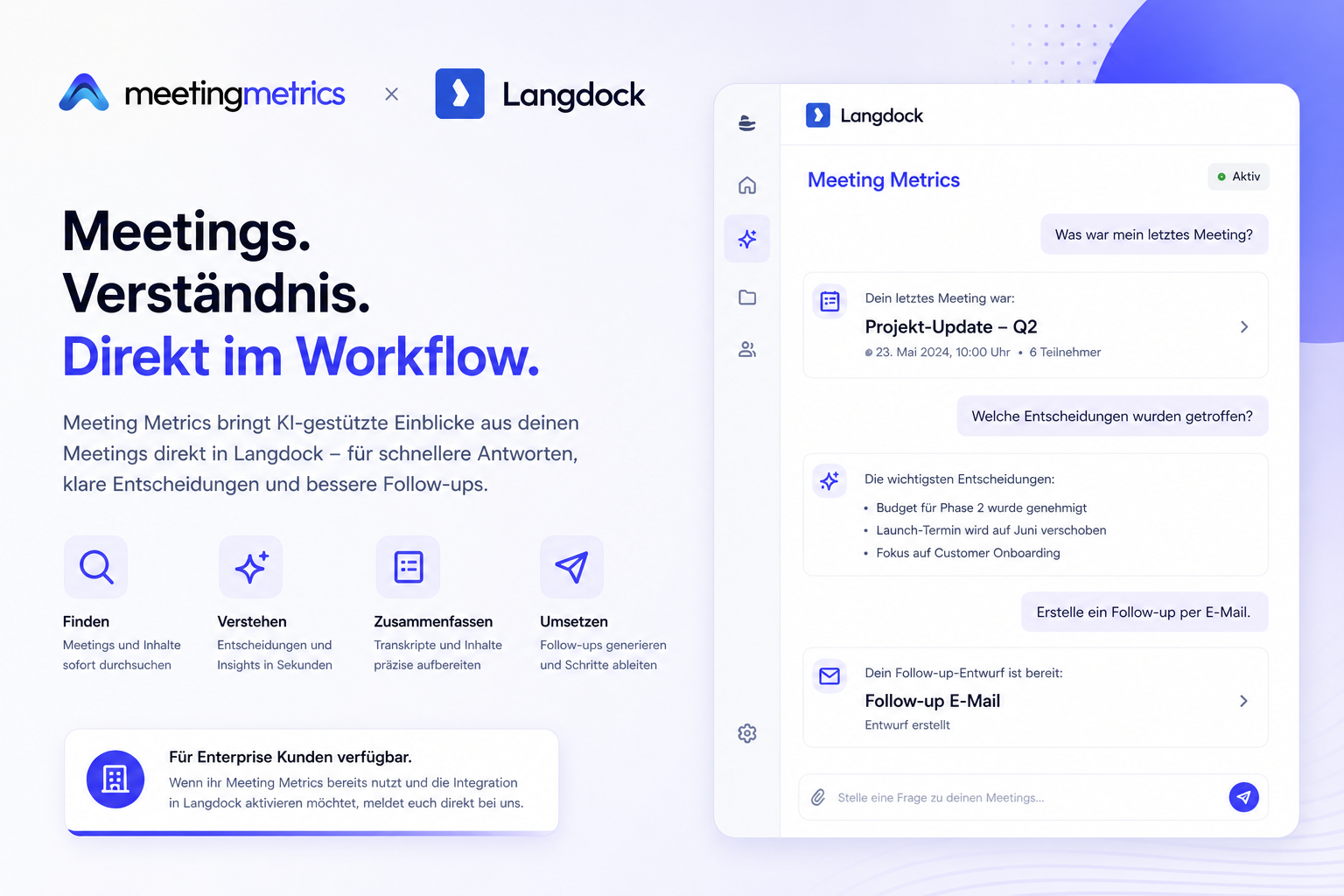
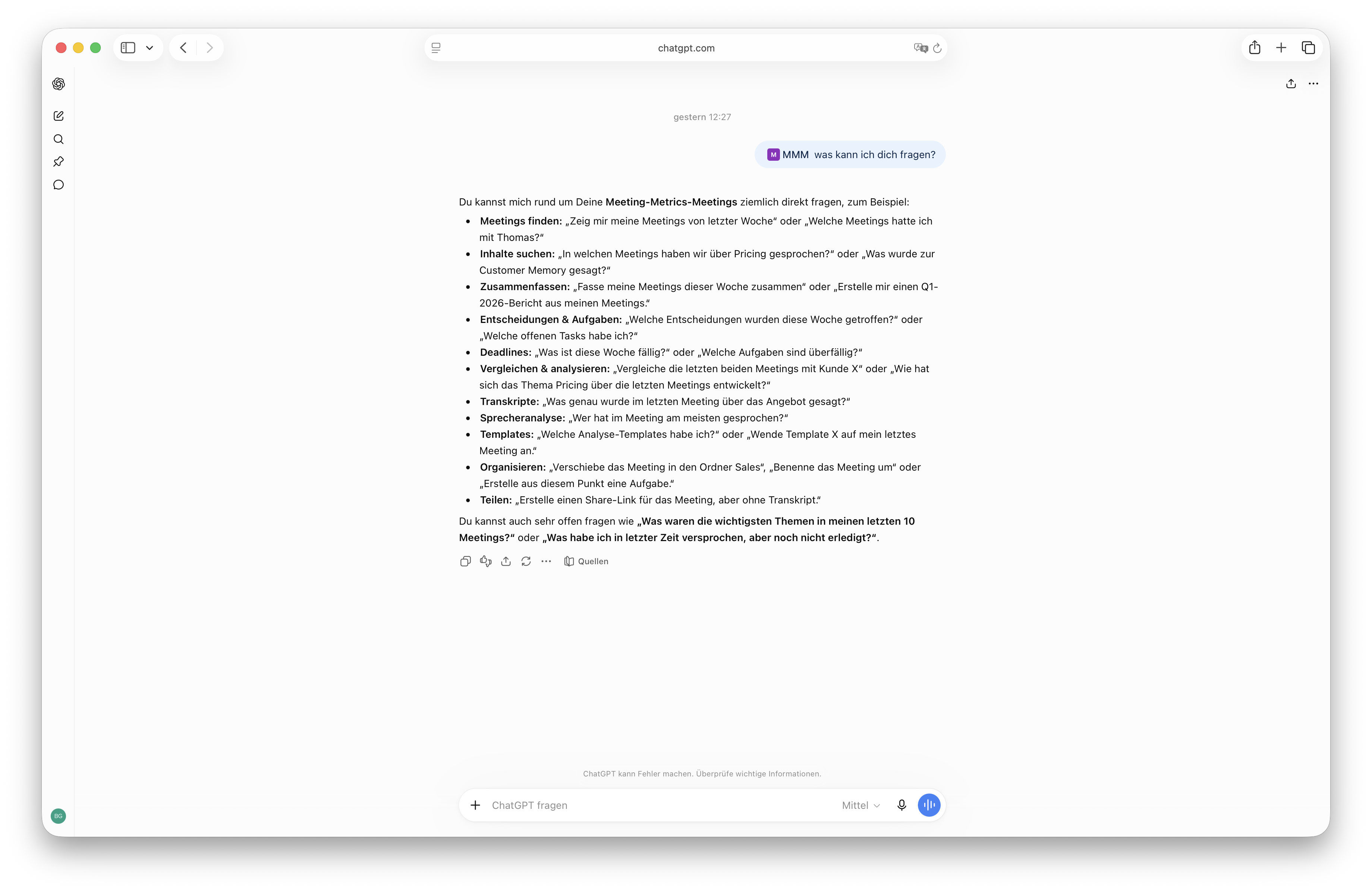
Meeting knowledge doesn't have to stay in Meeting Metrics. Through the Model Context Protocol (MCP), you can now connect Meeting Metrics directly with AI assistants like ChatGPT, Claude, Codex, or apps like Langdock.
This allows your AI assistant to access your meetings and, for example:
Search and compare meetings
Retrieve summaries and transcripts
Extract action items and decisions
Create tasks from meetings
Analyze information across multiple meetings
Use your Meeting Metrics templates for customized evaluations
This turns individual meeting minutes into a knowledge base that you can use directly in your existing AI workflows.
More about this in our Knowledge Base:
https://meetingmetrics.ai/docs/mcp-ki-assistenten-verbinden
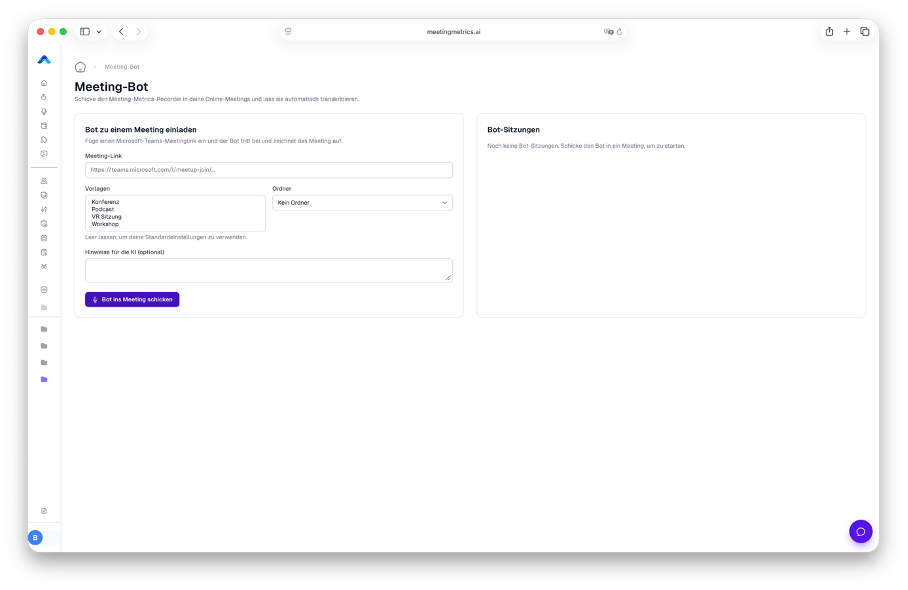
Meeting Bot – Beta
With our new Meeting Bot, Meeting Metrics can directly participate in online meetings and capture the conversation for you.
You no longer need to start the recording manually. The bot joins the meeting and subsequently makes the content available in Meeting Metrics for transcription and analysis.
The Meeting Bot is currently in beta and initially available to enterprise customers.
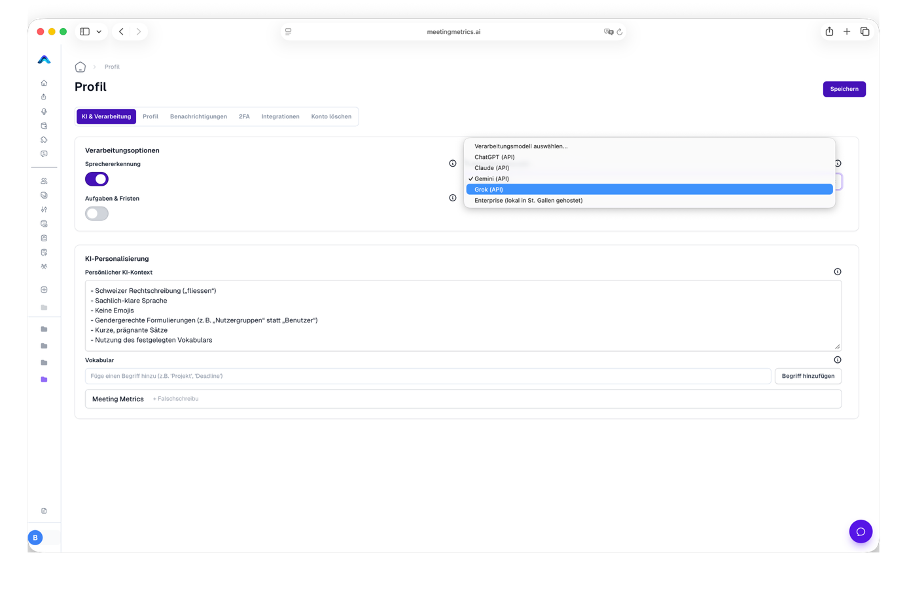
Grok & Updated AI Models
Grok is now available as an additional AI model for your analyses.
At the same time, we have updated our existing AI models to the latest available versions.
This allows you to continue deciding which model best fits your use case.
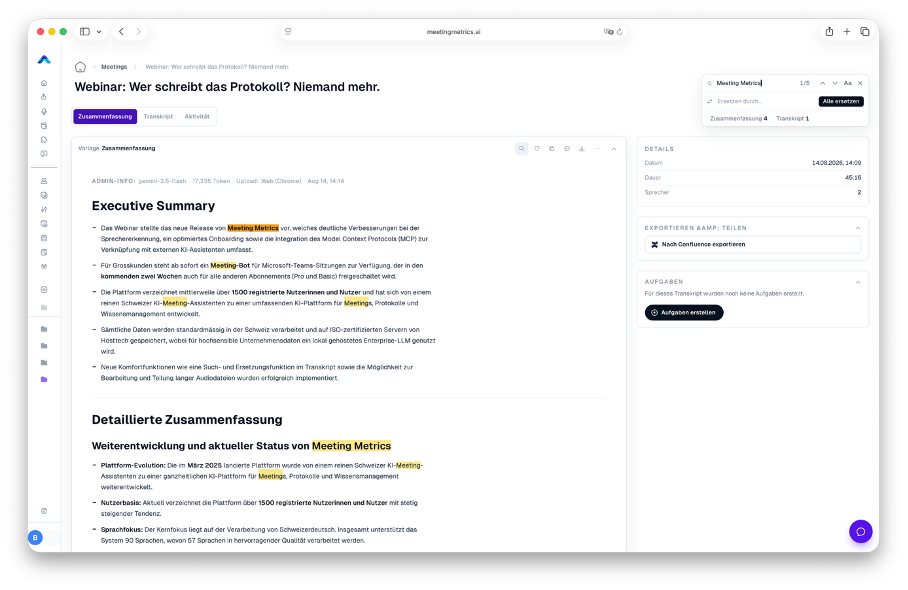
Find & Replace
One of the most requested features is here.
With Find & Replace, you can find and selectively replace terms, names, or misrecognized words directly in your summary and transcript.
This is especially useful for proper names, technical terms, or recurring words that were not correctly recognized during a recording.
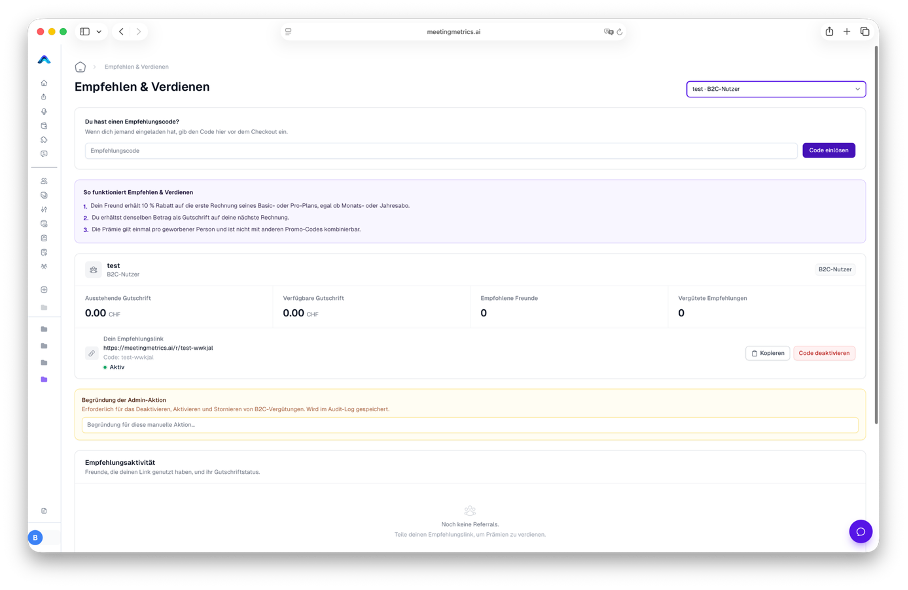
Recommend Meeting Metrics
You enjoy using Meeting Metrics and want to recommend it?
Now you can find the recommendation feature directly in your profile. From there, you can easily share Meeting Metrics with your network.
And the best part: You both benefit from the recommendation.
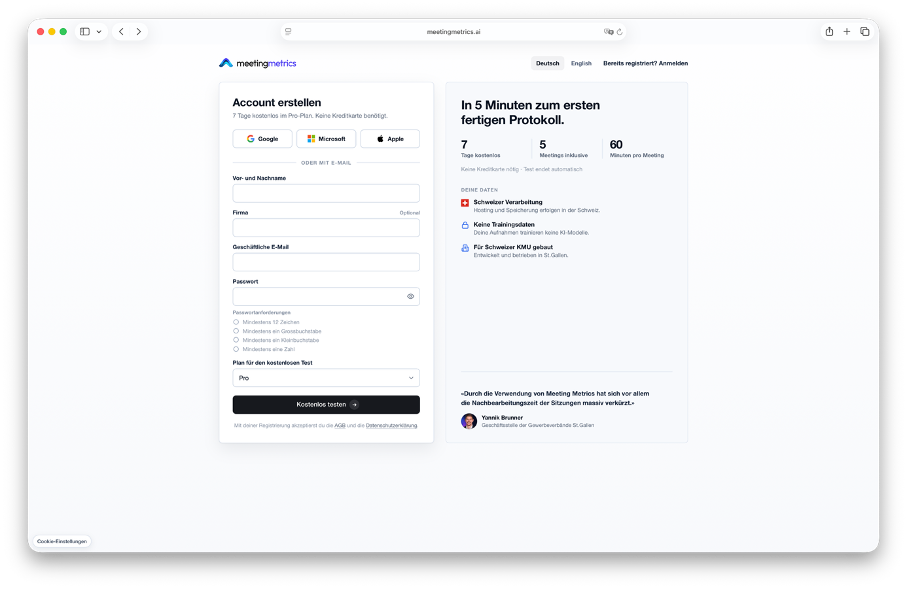
7-Day Trial for New and Existing Users
We are saying goodbye to our previous freemium model and introducing a new 7-day trial.
Both new and existing users can test Meeting Metrics for seven days and directly choose which feature set is relevant to them:
Basic, Pro, or Enterprise.
This way, you can try out Meeting Metrics with the features that fit your actual use case.
Improvements
In addition to the new features, we have also revised many existing areas of Meeting Metrics.
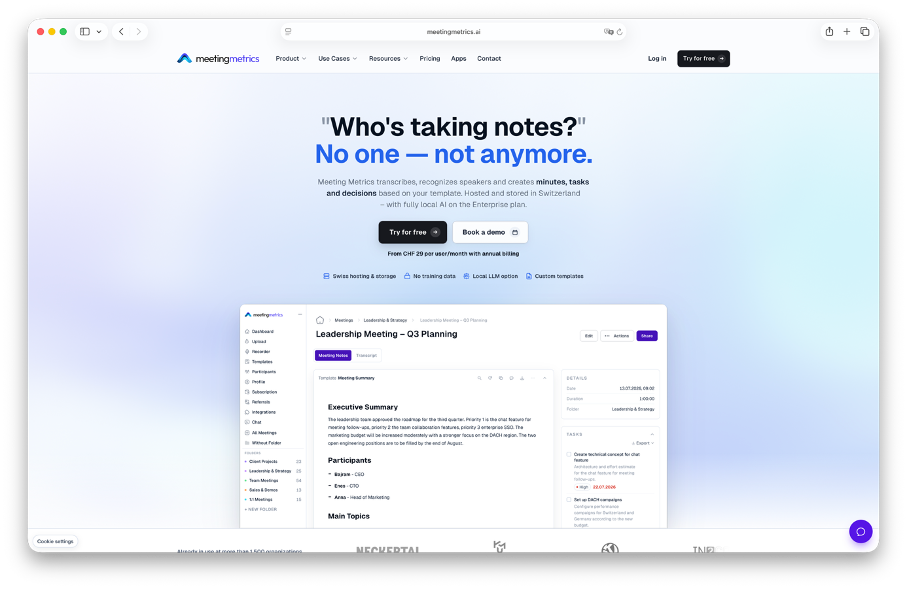
New Website
Our website has been completely redesigned.
Besides a new design, we have revised the content, structured the product areas more clearly, and made the entire website fully available in English.
New Onboarding
The entry into Meeting Metrics has also been revised.
The new onboarding flow guides you step by step through the most important features and helps you set up and analyze your first meeting faster.
New Profile Settings
We have restructured and tidied up the profile settings.
The most important options are now easier to find, and related settings are organized more clearly.
Improved Speech Recognition & Processing
A lot has also changed under the hood.
A new model improves speech recognition and meeting processing. This lays the foundation for more precise transcripts and better downstream analyses.
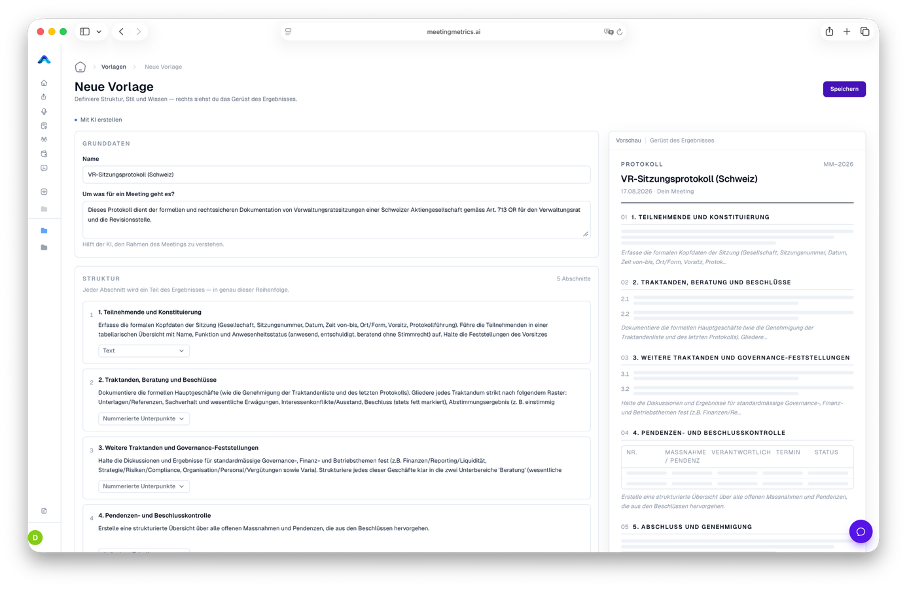
Revised Templates
Templates are a central part of Meeting Metrics. Therefore, we have fundamentally revised this area as well.
You can now create your own templates more easily and tailor them more precisely to different meeting types and requirements.
Whether executive meetings, client conversations, interviews, or project meetings: you can define which information Meeting Metrics should extract from your meetings.
And This Is Just the Beginning
With this update, we want to further develop Meeting Metrics from a pure meeting assistant into a platform for meeting knowledge and AI-powered workflows.
Especially with MCP, new possibilities arise to connect information from meetings with other systems and AI assistants and make them usable beyond individual conversations.
You can try many of the new features directly in Meeting Metrics right now.